
Introduction
Importance of SEO in Digital Marketing
In today’s digital landscape, Search Engine Optimization (SEO) stands as a cornerstone of effective digital marketing. With an ever-increasing number of websites competing for attention, businesses must leverage SEO to enhance their visibility on search engines like Google. A well-optimized website attracts organic traffic, leads to higher conversion rates, and builds brand authority.
Consider a small bakery trying to reach local customers. If they optimized their website for local search terms like “best cupcakes in [city name],” they could easily outperform larger competitors and connect with their target audience. Proper SEO not only fosters brand awareness but also establishes long-term relationships with customers seeking specific products or services.
Overview of Free SEO Checker Tools
For businesses on a budget, free SEO checker tools prove invaluable. These tools allow marketers and website owners to analyze their site’s performance and discover opportunities for improvement without incurring costs.
Here are a few popular free tools to consider:
- Google Search Console: Ideal for tracking website performance and understanding how Google indexes your site.
- Ubersuggest : Offers insights into keyword strategies and competitive analysis.
- SEO Site Checkup : Provides a comprehensive analysis of on-page SEO factors.
Utilizing these tools can help demystify the SEO process and lead to better strategies, allowing businesses to thrive in the competitive digital marketplace.
Google Search Console
Features and Benefits
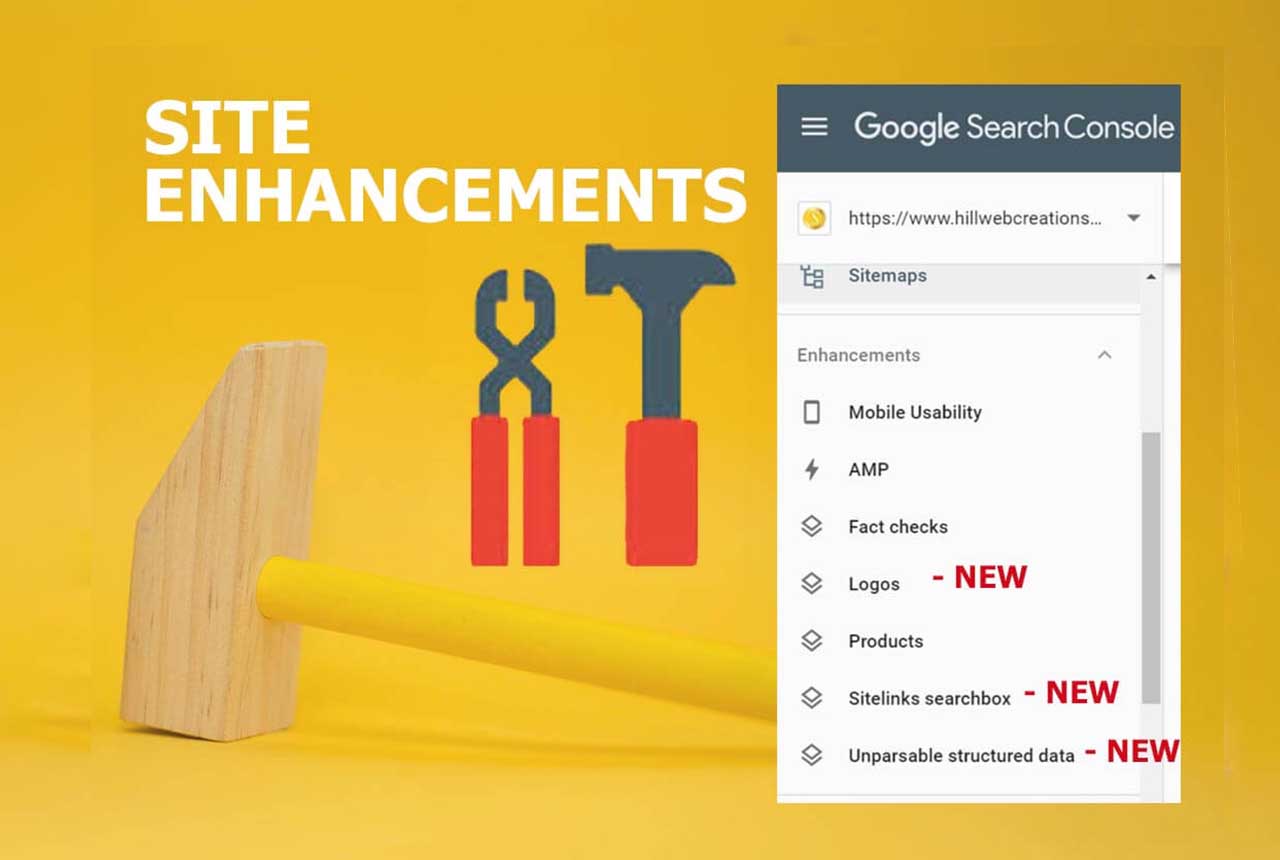
Google Search Console (GSC) is a powerhouse in the realm of SEO tools. It’s a free service offered by Google that helps website owners monitor and maintain their site’s presence in search results.
Some standout features include:
- Performance Tracking : View the total clicks, impressions, and click-through rates for your site.
- Index Coverage Reports : Identify indexing issues that might prevent your pages from appearing in search results.
- Mobile Usability : Monitor how well your site performs on mobile devices and identify areas for improvement.
- Sitemap Submission : Easily submit your sitemap to ensure Google efficiently crawls your site.
The benefits are countless; not only does it enhance visibility, but it also allows for proactive resolution of SEO issues, making it an essential tool for any digital marketer.
How to Use Google Search Console for SEO Analysis
Using Google Search Console for SEO analysis is straightforward. Begin by verifying your website ownership through a simple process—uploading an HTML file, for instance. Once verified, explore the “Performance” tab to analyze how your pages rank for different keywords.
Here’s a quick step-by-step guide:
- Navigate to Performance : Check which queries bring in the most traffic.
- Analyze Click-Through Rates : Identify clicks vs. impressions to fine-tune meta descriptions.
- Review Coverage Issues : Address any indexing errors or warnings to improve visibility.
- Optimize Mobile Usability : Assess and enhance mobile experience for visitors.
By consistently utilizing these insights, you can refine your SEO strategy, boost your rankings, and ultimately drive more traffic to your website.

SEMrush
Overview of SEMrush Tool
SEMrush is a versatile all-in-one SEO tool that has gained a reputation as a favorite among marketers and businesses alike. What sets SEMrush apart is its powerful capabilities in competitive analysis, keyword research, and site auditing.
Imagine you’re a small online retailer looking to improve your website’s ranking. With SEMrush, you can gain insights into your competitors’ strategies, discover profitable keywords to target, and optimize your content effectively. Features such as the Domain Overview and Traffic Analysis tools allow users to see how their website stacks up against competition, giving a clear picture of the landscape.
Key features of SEMrush include:
- Keyword Research : Discover new keywords to target and analyze their potential traffic.
- Site Audit : Identify site issues that need attention, improving overall site health.
- Backlink Analysis : Gain insights into your backlink profile and evaluate competitors’ links.
Utilizing SEMrush for SEO Optimization
Getting the most out of SEMrush involves a few straightforward steps. Once you create an account and input your domain, start with the Site Audit feature. This tool will scan your website and provide a detailed report of any SEO issues including broken links, page speed concerns, and more.
To optimize your content, dive into the Keyword Magic Tool. Here, you can find effective keywords related to your niche and see their search volume, difficulty, and trend.
Here’s a quick guide to effectively utilize SEMrush:
- Perform a Site Audit : Identify and fix any SEO issues quickly.
- Conduct Keyword Research : Select keywords with high search volume and low competition.
- Analyze Competitors : Use the Traffic Analytics tool to see where competitors are excelling.
- Monitor Rankings : Keep track of your keyword rankings over time.
By consistently leveraging SEMrush’s comprehensive features, businesses can refine their SEO strategies, ultimately leading to improved visibility and traffic growth.

Moz
Key Features of Moz Tool
Moz is a well-established name in the world of SEO tools, renowned for its user-friendly interface and reliable analytics. At the heart of Moz’s offerings is its suite of features designed to help users enhance their search engine visibility.
Some of the key features include:
- Keyword Explorer : This tool helps identify keywords with high search potential while providing valuable insights into keyword difficulty.
- Link Explorer : Analyze your site’s backlink profile and monitor the links of your competitors, revealing opportunities for improvement.
- Site Crawl : Conduct a thorough analysis of your website to detect SEO issues such as broken links, duplicates, or missing tags.
- Page Optimization : Get actionable tips on improving individual pages based on target keywords and other SEO factors.
These features provide a comprehensive view of your site’s performance and help direct your SEO efforts effectively.
Enhancing SEO Strategy with Moz
To truly leverage Moz for your SEO strategy, start by utilizing the Keyword Explorer to discover keywords relevant to your audience. For instance, if you run a travel blog, searching for keywords related to “best travel destinations” could uncover unique opportunities.
Next, use Link Explorer to evaluate your website’s backlink profile. Building relationships with other quality sites can enhance your domain authority, which is crucial for ranking higher in search results.
Here’s how to enhance your SEO strategy with Moz:
- Conduct Regular Site Crawls : Identify and fix issues proactively.
- Embrace Keywords : Optimize your content with targeted keywords found in the Keyword Explorer.
- Monitor Competitors : Use the link analysis to strategize your outreach for backlinks.
- Utilize Page Optimization : Regularly refine your website’s pages based on Moz’s recommendations.
By integrating these practices into your routine, Moz can empower your SEO strategy, driving organic traffic and building your online presence effectively.

Ubersuggest
Exploring Ubersuggest Tool
Ubersuggest is an increasingly popular SEO tool that stands out for its friendly interface and extensive features tailored for both beginners and experienced marketers. Originally developed by Neil Patel, Ubersuggest has evolved into a robust platform to assist users in driving organic traffic.
What makes Ubersuggest appealing is its simplicity. Users can easily access a wealth of data concerning keyword suggestions, domain analysis, and content ideas. Some of its standout features include:
- Keyword Suggestions : Get a comprehensive list of related keywords along with search volume, SEO difficulty, and paid difficulty.
- Competitive Analysis : Analyze your competitors’ top-performing pages and backlinks, which provides valuable insights for your own strategy.
- Content Ideas : Discover trending topics and content suggestions tailored to your specific niche.
By harnessing these features, businesses can create campaigns that target the right audience.
Improving SEO Performance with Ubersuggest
To effectively improve your SEO performance with Ubersuggest, start by leveraging the Keyword Suggestions feature. For instance, if you’re a fitness coach, searching for “home workouts” might lead you to find related keywords that you hadn’t considered, enabling you to target specific phrases in your blog posts.
Next, dive into the Site Audit feature. This tool scans your website, highlighting critical issues such as slow loading times, unoptimized meta tags, and broken links. Addressing these issues will enhance user experience and boost your rankings.
Here’s a quick guide to using Ubersuggest:
- Search for Keywords : Find low-competition keywords to create targeted content.
- Analyze Competitors : Identify what’s working for others and adapt strategies for your brand.
- Utilize Content Suggestions : Create posts that resonate with your audience’s interests.
- Conduct Regular Site Audits : Keep your website optimized and free from SEO issues.
By following these steps, Ubersuggest can play a pivotal role in driving traffic and improving your website’s overall SEO performance.
Screaming Frog
Functions of Screaming Frog Tool
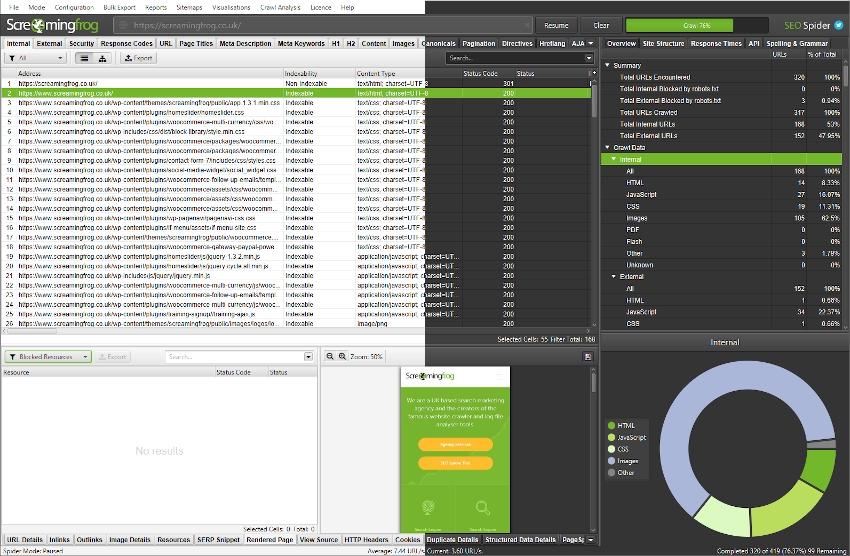
Screaming Frog is an SEO spider tool that has become indispensable for many digital marketers and webmasters. With its ability to crawl websites and gather critical data, it simplifies the auditing process for SEO.
What makes Screaming Frog particularly effective are its powerful functions, including:
- URL Crawling : It scans websites to collect URLs, providing a comprehensive list for analysis.
- On-Page SEO Analysis : Evaluate title tags, meta descriptions, heading tags, and more, ensuring SEO best practices are followed.
- Audit Redirects and Status Codes : Identify 301, 404, and other redirect issues that may harm user experience and SEO performance.
- Broken Link Checking : Quickly find broken links on your site, allowing for immediate corrective actions.
This tool empowers users to gather vital information efficiently, ensuring that no issues go unnoticed.
Conducting SEO Audits using Screaming Frog
Conducting SEO audits with Screaming Frog is straightforward and insightful. To get started, simply download the tool and enter the website URL you wish to analyze. Within minutes, you’ll have access to a treasure trove of data at your fingertips.
Here’s how to effectively conduct SEO audits using Screaming Frog:
- Crawl the Website : Input your URL and initiate a crawl to gather data on all site pages.
- Analyze On-Page Elements : Review title tags and meta descriptions to ensure they are optimized and not duplicated.
- Check for Broken Links : Use the tool’s reporting to identify any broken links, both internal and external.
- Review Status Codes : Examine all HTTP status codes to pinpoint any issues with redirects or inaccessible pages.
By following these steps, Screaming Frog enables a thorough analysis of your website. With its detailed reporting, you can make informed decisions and implement changes that can significantly enhance your site’s SEO performance.
Ahrefs
Understanding Ahrefs Tool
Ahrefs is a powerhouse in the SEO industry, renowned for its extensive database and robust features. It’s widely favored by professionals looking to gain insights into their site’s performance and competitive landscape. One of the most notable aspects of Ahrefs is its comprehensive backlink analysis, which is crucial for building and maintaining a strong online presence.
Key features of Ahrefs include:
- Site Explorer : Analyze your website or any competitor’s site to understand their traffic and backlink profile.
- Keyword Explorer : Discover keyword potential with search volume, keyword difficulty, and click-through rates.
- Content Explorer : Find popular content in your niche, uncovering trends and opportunities for your own content strategy.
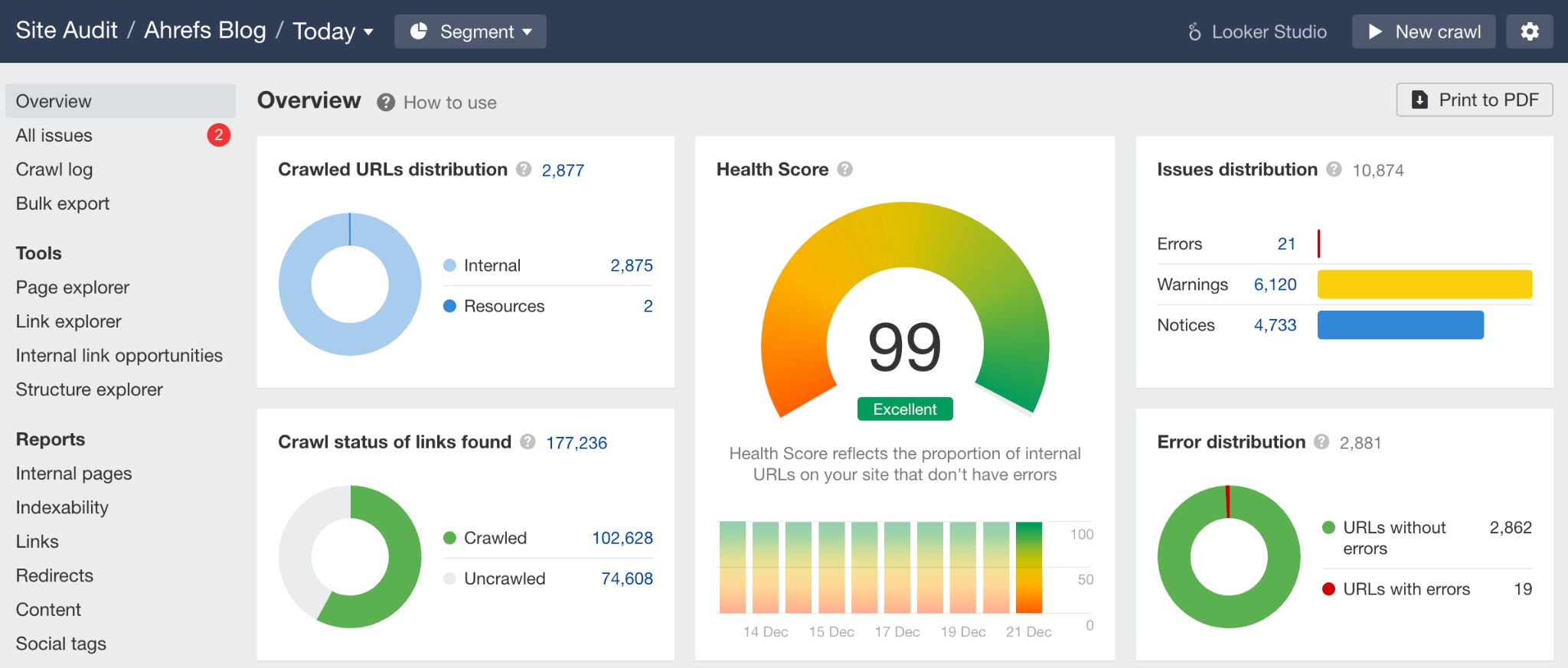
- Site Audit : Conduct comprehensive audits of your website to identify on-page SEO issues and performance barriers.
This tool’s wealth of data can empower users to refine their SEO strategies effectively.
Leveraging Ahrefs for SEO Analysis
To leverage Ahrefs for SEO analysis, start by utilizing the Site Explorer feature. When you enter your domain, you can gain insights into where your traffic is coming from, which keywords are driving visits, and what backlinks are contributing to your site’s authority. For example, if you notice a significant number of backlinks from a high-authority site, it’s worth analyzing to maintain and build that relationship.
Here’s a step-by-step approach to using Ahrefs:
- Analyze Your Backlink Profile : Explore both internal and external backlinks to identify strengths and weaknesses.
- Conduct Keyword Research : Use the Keyword Explorer to find relevant and high-potential keywords for your niche.
- Monitor Competitor Strategies : Using Site Explorer, compare your performance against competitors to find new opportunities.
- Perform Regular Site Audits : Identify technical SEO issues that might hinder performance through the Site Audit feature.
By implementing these strategies, Ahrefs can significantly enhance your SEO analysis, leading to informed decisions and improved rankings in search results.

SEO Site Checkup
Features of SEO Site Checkup Tool
SEO Site Checkup is an intuitive tool designed to help website owners evaluate and enhance their site’s SEO performance. One of its standout features is the ability to conduct comprehensive analyses with a focus on various SEO factors, making it ideal for novices and experienced marketers alike.
Key features include:
- General SEO Audit : Analyzes over 40 different aspects of your site’s SEO, providing a clear score and actionable insights.
- Performance Metrics : Assesses page loading speed and mobile friendliness to improve user experience.
- On-Page SEO Analysis : Evaluates title tags, meta descriptions, and header tags for optimization.
- Security Checks : Identifies issues like HTTPS usage, ensuring your site is secure for visitors.
- Social Media Integration : Analyzes how social media efforts are impacting your site traffic.
These features make SEO Site Checkup a comprehensive tool for anyone looking to enhance their site’s SEO.
Optimizing SEO with SEO Site Checkup
To optimize SEO with SEO Site Checkup, the process starts with running a full site audit. For instance, after analyzing your website, you may discover that your meta descriptions are missing or too short. This is critical information, as optimizing these can improve click-through rates on search engines.
Here’s how to harness SEO Site Checkup effectively:
- Run an Initial Audit : Begin with a comprehensive audit to identify your site’s strengths and weaknesses.
- Address On-Page Issues : Use the tool’s recommendations to refine title tags and meta descriptions across your pages.
- Improve Loading Speeds : Pay attention to performance metrics; consider compressing images or enabling browser caching if speed is lacking.
- Secure Your Site : Ensure all pages are using HTTPS, enhancing trust and security for visitors.
By consistently utilizing SEO Site Checkup, website owners can make informed adjustments, leading to improved rankings and better overall site health.

AnswerThePublic
Introduction to AnswerThePublic Tool
AnswerThePublic is a unique and innovative tool designed to generate content ideas based on real user queries from search engines. By tapping into the most common questions people ask online, it helps marketers, bloggers, and businesses understand what their audience is genuinely interested in.
This tool visualizes data in an easy-to-understand format, presenting various questions, prepositions, and comparisons that users typically search for in relation to a central keyword. For example, typing in “digital marketing” could yield queries like “What is digital marketing?” or “How to succeed in digital marketing?”
Some features of AnswerThePublic include:
- Question Generation : Discover queries starting with “how,” “what,” “where,” and more.
- Prepositions and Comparisons : Identify popular phrases that include your keyword, helping to expand content coverage.
- Data Visualization : View results visually in a user-friendly interface, making it easy to sift through ideas.
Enhancing Content Strategy with AnswerThePublic
To enhance your content strategy using AnswerThePublic, start by identifying your target keywords and running them through the tool. For instance, if you run a gardening blog, you could input “vegetable gardening” to uncover a variety of related topics that resonate with your audience.
Here’s a simple approach to effectively utilize AnswerThePublic:
- Generate Content Ideas : Create a list of potential blog topics based on the questions and prepositions generated.
- Prioritize High-Interest Queries : Focus on topics with high search intent; these are queries that your ideal audience is searching for.
- Create Comprehensive Content : Craft content that answers these questions thoroughly, ensuring you provide valuable insights.
- Monitor Trends : Regularly revisit the tool to stay updated on new questions and interests within your niche.
By leveraging AnswerThePublic, you can create targeted, engaging content that addresses your audience’s needs, leading to higher engagement and improved SEO performance.

Woorank
Overview of Woorank Tool
Woorank is a powerful SEO analysis tool that offers businesses an all-encompassing view of their online performance. Tailored for both beginners and seasoned marketers, Woorank provides insights into website optimization, user experience, and competitive analysis, making it a go-to resource for anyone looking to enhance their online presence.
The tool’s user-friendly dashboard presents essential information at a glance, ensuring users can quickly assess their site’s health. Key features of Woorank include:
- Website Audit : Receive an in-depth review of on-page and off-page SEO factors, uncovering areas needing improvement.
- Mobile Optimization : Analysis of how well your site performs on mobile devices, which is critical given today’s mobile-first world.
- Keyword Tracking : Monitor how your target keywords rank over time, providing insights into your SEO efforts’ effectiveness.
- Competitive Analysis : Evaluate the strengths and weaknesses of your competitors in comparison to your own site.
Conducting Website Analysis with Woorank
Conducting a website analysis using Woorank is straightforward and beneficial. Start by inputting your website URL into the tool; within moments, you will receive a comprehensive report detailing various aspects of your site’s SEO performance.
Here’s how to effectively use Woorank for website analysis:
- Run a Website Audit : Begin with the audit feature to identify critical issues affecting your site’s ranking, like broken links or missing meta tags.
- Review On-Page SEO : Delve into the specifics of your site’s individual pages, analyzing title tags, content quality, and URL structure.
- Check Mobile Friendliness : Evaluate how your site looks and performs on mobile devices, ensuring a seamless user experience for all visitors.
- Analyze Competitors : Use the competitive analysis feature to benchmark your performance against industry rivals, revealing opportunities for improvement.
By following these steps, Woorank empowers website owners to make informed decisions that can significantly boost their overall SEO strategy and online visibility.